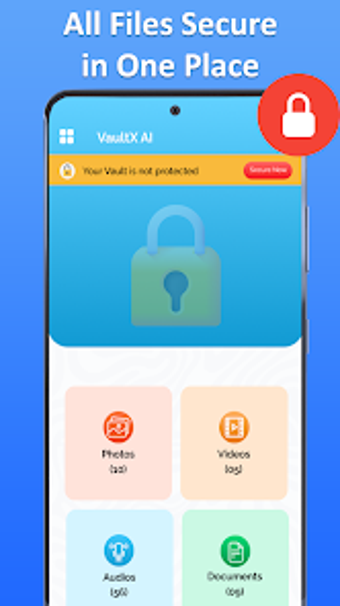
Secure Folder: Encrypted vault for photos, videos, and documents
Experience focused privacy with Secure Folder - File Vault by Sigma Smart Technologies. The app creates an encrypted space on Android devices to hide photos, videos, and documents from the regular gallery, protected by PIN, pattern, or fingerprint unlock. It adds AI-assisted scanning that suggests items for extra protection and an intruder selfie feature to record failed access attempts. Setup requires a few taps and no complex configuration, so it targets Android users who need straightforward app-level privacy.
What does Secure Folder do for private files?
Secure Folder acts as an app-level encrypted vault that isolates private media and documents from the device's main storage. The tool supports common formats and types, including photos, videos, documents, and audio. Inside the vault there is a document locker and private file management interface that lets you import, view, and organize protected items without exposing them to the standard gallery or external file managers.
Does it affect device operation during scans or use?
The app emphasizes simple operation rather than heavy background tasks; setup is described as requiring only a few taps and not complex configuration. Its AI Scan technology scans the device to identify candidate files for protection, so users interact with suggestions rather than configuring complex rules. The vault functions as an isolated workspace, which means protection is applied at the app level rather than by altering the device-wide gallery or file indexes.
Is it safe to use on a shared or unlocked device?
Security is layered through several lock options, with PIN, pattern, and fingerprint authentication available for quick access. The app records intruder attempts via an automatic selfie capture when incorrect credentials are entered, and files moved into the vault are hidden from the regular gallery and file managers. Encryption is the stated method for protecting stored content inside the app's secure area.
Do I need technical knowledge to protect files effectively?
The interface includes built-in tools to view, manage, and organize protected content, and the AI Scan suggests items that may need extra privacy. User reception highlights a straightforward interface, positioning the tool as an accessible alternative for Android users who do not have a native secure folder. Advanced lock choices are available for users who want stronger access controls without manual configuration steps.
Practical app-level vault with one detection caveat
Secure Folder is a pragmatic option for Android users who need an app-level encrypted vault and want quick control over private media. It suits people lacking a native secure folder and those who prefer in-app management. The single clear drawback is reliance on the app's AI scan to propose items for protection, which may not identify every sensitive file; a manual review remains advisable.